I Wish I Knew
.sub_heading {From three mockups to 140 finished articles: the prototype, the CMS changes, and a write, check and review process for every page.
} }The idea
I Wish I Knew is a collection of short explainers about the things we use every day but nobody ever explained properly. How a heat pump works. What a volt actually is. Why we have seasons. The line at the top of the design spec is "The things you wish somebody had explained properly", and the rule for every article is: don't just tell me what, explain why.
It's written for curious adults. Nobody should feel stupid for asking, and nothing should read like a school revision site. That one sentence ended up shaping the design, the writing guidelines and even the illustration style.
Mockups first
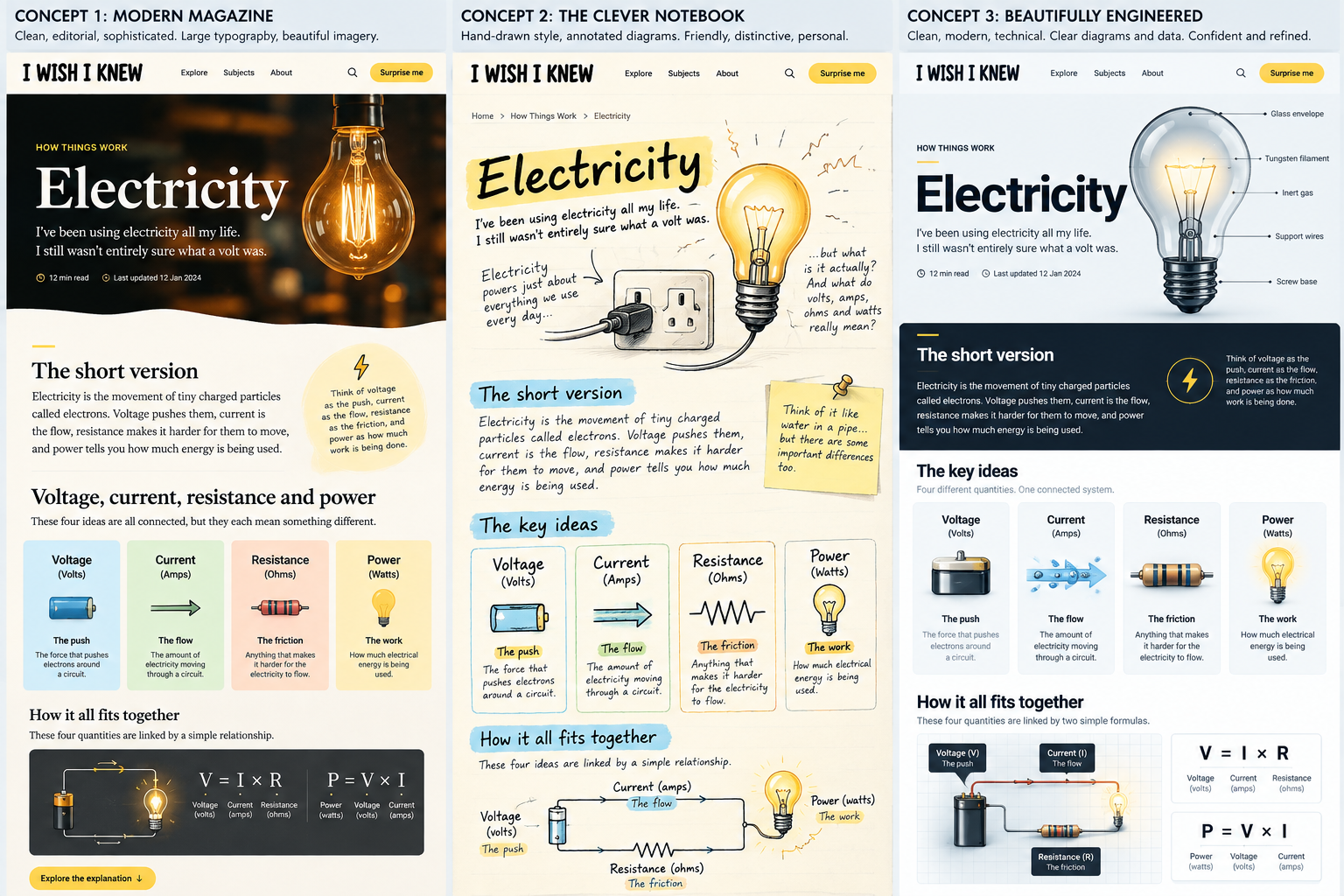
Before writing any code, I mocked up the same article, Electricity, in three different visual styles:
- Modern Magazine: clean and editorial, with large type and rich imagery.
- The Clever Notebook: hand-drawn and annotated, friendly and personal.
- Beautifully Engineered: clean and technical, with confident diagrams and data.
Putting identical content into each one made it a fair comparison. It also showed something more useful: all three have the same bones. A "Short version" panel, a row of key-idea cards, a "How it all fits together" diagram. Those shared parts became the content blocks the whole site is built from.
The direction I chose was one theme throughout, closest to Modern Magazine: a warm paper background, navy text, a yellow highlight and serif headings. No theme switcher. I was tempted, briefly.
A clickable prototype
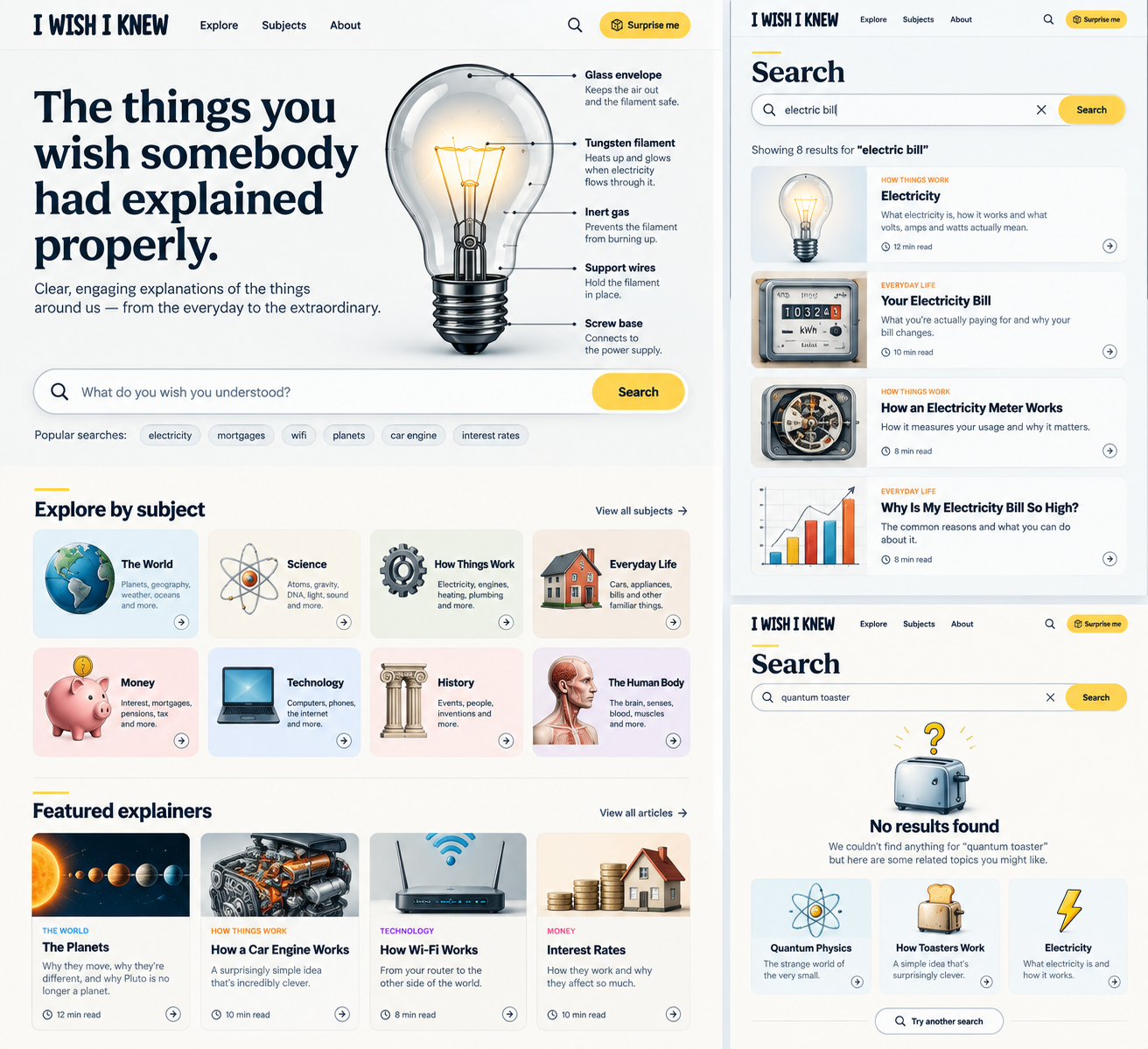
Next came a static HTML prototype with a homepage, a subject page, an article page and search, plus one stylesheet and a set of SVG icons. Its most useful feature was a "Show blocks" button that outlines every content block on the page and labels its type. That gave me a checklist of everything the CMS would have to support.
Finding the gaps in the CMS
The site runs on MaggsWebCMS, the PHP CMS I built and use for this site and a few others. I wrote a gap analysis comparing the prototype with what the CMS could already do. Everything around the content was covered: admin, users, the page tree, the image library, the sitemap. The problem was the article itself. A CMS page is one rich-text field, and this project needed structured blocks, links between articles and search that understands what you meant.
The first recommendation was a whole new Articles module, with blocks stored as JSON, a relations table and revisions. That's a big job. Then the core CMS gained a SECTION page type: a page made of an ordered list of sections, each with its own CSS class and an optional template file. That is the block model. So the decision flipped: no new module. Build the site on the standard core, and keep core changes small.
The core changes
Each change went into core on its own branch as a general feature that any site can use, then came into this site through the core upgrade script. Core went from 10.20.0 to 11.1.0 during the build.
- A keywords field on pages, which feeds the search.
- Simple inline markup in titles, so a heading can highlight a phrase.
- A Subjects category type, so the eight subjects (names, order, descriptions) are edited in the admin, not hard-coded.
- A visible/hidden flag and a CSS class on categories. The class now sets each subject's colour and icon.
- Heading 2 in the editor.
The project also added a list of changes to the core backlog for later: draft and live status for pages, stricter URL routing, SVG uploads, and a switch to turn unused modules off.
Building it on the site side
Everything else lives in the site, not the core:
- A subject is a top-level page, an article is a SECTION page under it, and a follow-on article is a child page. The URLs come for free: /the-world/seasons/.
- Each content block is a section, and its CSS class sets the type: Short version, The bit I didn't understand, Fact, Myth, Definition and so on. The structured blocks (Comparison, Scale, Timeline) have a small template that turns a plain bulleted list into cards, bars or a timeline. There are 14 block types in all.
- The page tree doubles as the links between articles. An article builds on its parent page and is explained further by its child pages. The "Where next?" panel at the foot of every article reads straight from the tree, with no relations table.
- Search uses an index of every published article. It rebuilds itself after any edit, ranks results in PHP and tells you why each result matched.
- A strict URL check. An early test showed the router would happily serve /nonsense/electricity/ with a 200 response.
- Self-hosted fonts and a cookie banner. Nothing from a third party loads until you say yes.
Writing 150 articles
Typing about fifteen sections per article into the admin by hand doesn't scale to 150 articles. So each article is a folder of files instead:
articles/seasons/
  article.md    the page fields, then each block in order
  images.md     a brief for every picture
  images/       the finished PNGs
  insert.sql    generated - never edited by hand
A script, build-article.php, reads the folder and checks it against the writing guidelines: length, required blocks, field sizes, and banned words such as "simply" and "obviously". Then it builds the SQL that creates the page, its sections and its pictures. The SQL finds the parent page by its URL and does nothing if the article already exists, so the same file runs safely on the local site and on live.
The writing guidelines keep the articles consistent. One article answers one question. The Short version answers it in under 60 words. The everyday word comes first and the technical word second ("the push, called voltage"). Articles run to 600 to 1,200 words. Medical, legal and financial subjects explain how things work and never give advice.
The articles and picture briefs are drafted with an AI assistant working to those guidelines. The pictures are made from the briefs in one shared style: flat illustration, a cream background, navy outlines, the site's yellow and the subject's own colour. That way the whole library looks like one person drew it.
The review
The script's check is only mechanical. It isn't the review. Every article moves through dated stages in a tracker: written, pictures made, reviewed, published locally, live. Nothing reaches the database until I've read it and approved it against a checklist:
- Content: answers one question, every claim and number can be checked, sources are named, and UK-only figures are labelled as UK.
- Style: plain words, short sentences, one analogy per idea with its limits stated.
- Structure: Short version first, Key takeaways near the end, Now you know last, and no more than two "interesting" boxes in a row.
- Pictures: right size and style, and alt text on every one.
A reviewed article goes onto the local site and gets checked at desktop and phone width. Then the same SQL runs on live.
There's no draft area on the site. The draft is the folder. Only a reviewed article with its pictures goes into the database.
Where it is now
As of early November 2026, 140 of the 153 planned articles are written, reviewed, illustrated and running on the local site, across all eight subjects. Still to come: the last 13 Science articles, a Diagram block, accessibility and performance passes, then hosting and launch.
Update: 3rd November
Site is live : www.i-wish-i-knew.co.uk
Page updated: 2026-11-04